ஃ It was originally created by Danish-Canadian programmer Rasmus Lerdorf in 1993 and released in 1995.
1] PHP stands for Hypertext Preprocessor.
2] It is a widely-used open-source server-side scripting language.
3] primarily designed for web development and can be embedded into HTML.
4] PHP scripts are executed on the server, generating dynamic web page content.
5] PHP code can perform tasks such as collecting form data, interacting with databases,
managing sessions, and creating cookies.
6] It is commonly used alongside MySQL or other database management systems to
create dynamic websites and web applications.
8] php is powerful and flexible language supported by a large community of developers worldwide.
PHP, which stands for "Hypertext Preprocessor," is a powerful server-side scripting language primarily used for web development. It allows developers to create dynamic web pages that can interact with databases and perform various tasks on the server before sending the final output to the user's browser. PHP is open-source, meaning it is free to use and has a large community that contributes to its ongoing development.
Why php use
1] platform independent
2] open source
3] runs multiple operating system
e.g :- window, linux, kill , dos
4] Free to download and edit.
Key Features of PHP
1] Simplicity: PHP is easy to learn for beginners and has a straightforward syntax that resembles C and Perl.
2] Cross-Platform Compatibility: PHP runs on various operating systems, including Windows, Linux, and macOS, making it versatile for different server environments.
3] Database Integration: PHP seamlessly integrates with various databases, such as MySQL, PostgreSQL, and SQLite, allowing for dynamic content generation.
4] Extensive Community Support: With a vast community of developers, PHP offers a wealth of resources, libraries, and frameworks, such as Laravel and Symfony, to enhance development efficiency.
5]Security Features: PHP provides built-in security features to help protect web applications from common threats like SQL injection and cross-site scripting (XSS).
What can php do ?
1] php can generate dynamic page content.
2] php can create open ,read ,write, delete, and close files on server.
3] collect form data.
4] send data receive cookies.
5] add delete , modify, your database.
6] control user access.
7] php can encrypt data
Frequently Asked Questions (FAQ)
1]. Is PHP still relevant in 2023?
Yes, PHP remains one of the most popular programming languages for web development. Its continuous updates and the emergence of modern frameworks keep it relevant in the ever-evolving tech landscape.
2]. What are the alternatives to PHP?
Some popular alternatives to PHP include Python (with frameworks like Django and Flask), Ruby (with Ruby on Rails), and JavaScript (with Node.js). Each has its strengths and ideal use cases.
3]. Can PHP be used for front-end development?
While PHP is primarily a server-side language, it can generate HTML, CSS, and JavaScript dynamically. However, for front-end development, languages like JavaScript and frameworks like React or Angular are more commonly used.
4]. How does PHP handle security?
PHP offers various built-in functions and best practices to enhance security, such as prepared statements for database queries, data validation, and escaping output to prevent XSS attacks.
How to run PHP file
ஃ writing the php code Visual Studdio code, notepad, Eclipse etc..
1] first xampp server download.
2] than select the xampp folder click on htdocs file.
3] htdocs folder click than create your program folder.
ஃ you prrogram save
4] php program must save .php extension.
5] run to the php program xampp control panel click
downloads XAMPP SERVER VISIT LINK
https://www.apachefriends.org/
ஃ Than click Apache Module click start button
ஃ Than click on Admin Button.
5] select folder of you project name.
6] Than select the you program name.
7] Program execute the XAMPP Server.
8] Run to the any browser.(show to the output).
Note :- php file is placed inside the htdocs folder. you want to run. open any web
browser and enter "localhost/demo.php" and press enter. than program is run
Php Syntax :-
<? php
.......
....
...
?>
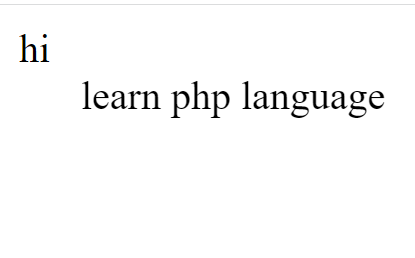
PHP Program :-
<?php
echo " hi";
?>
<?+php
echo "<marquee>learn php language </marquee>" ;
?>
php Output:-




Comments
Post a Comment