What are Children Props in React? Complete Guide with Syntax and Examples (2026)

Image
What are Children Props in React? As you build React applications, you'll often create components that share the same layout but display different content. Instead of writing a new component for every small variation, React provides a simple and powerful solution called the  Children  prop. The  Children  prop is a special built-in prop that allows a component to receive and display whatever is placed between its opening and closing tags. This makes components more flexible because the structure stays the same while the content can change every time the component is used. For beginners, you can think of the  Children  prop as the inside content of a container. The container provides the design, while the content inside the container is supplied by the parent component. Understanding Children Props In React, data is usually passed to a component using props such as title,name or price. These values are passed as attributes. For example : <User name...

JavaScript switch statement

     JavaScript Switch  Statement 


JavaScript switch statement


what is the switch case statement in javascript language?

1] switch case  number of codition.
2] switch case one code execute and handle multiple  condition in javaScript .
3] switch case alternative series provides else if and else JavaScript.
4] Switch case check to the single value multiple possible case.
5] Switch case match to the condition  inside the case than block executed and /end the conditon .
6] Switch case  in case statement is not match then condition default block executed.

Syntax Switch Statement  


switch (expression)
{
case value1: 
// code executed
 // if expression  == value1
break;

case value2: 
// code executed
 // if expression  == value2
break;

case value3: 
// code executed
 // if expression  == value3
break;

case value N: 
// code executed
 // if expression  == value N
break;

default:
//code executed if expression does not match any case 
}

Q.  switch case  Program of day 

Example :-
Source code 

let day =5;
switch(day)
{
    case 0:
        console.log('Sunday');
        break;
        case 1:
            console.log('Monday');
            break;
            case 2:
        console.log('Tuesday');
        break;
        case 3:
            console.log('Wednesday');
            break;
            case 4 :
        console.log('Thursday');
        break;
        case 5:
            console.log('Friday');
            break;

            case 6:
            console.log('Saturday');
            break;
            default:
                console.log('invalid day')

}

OutPut :-


Q2] . Switch case  program of month 

 Example 

source code


let month = 9;
switch(month)
{
    case 0:
        console.log('January');
        break;
        case 1:
            console.log('February');
            break;
            case 2:
        console.log('March');
        break;
        case 3:
            console.log('April');
            break;
            case 4 :
        console.log('May');
        break;
        case 5:
            console.log('June');
            break;

            case 6:
            console.log('July');
            break;
                case 7:
                        console.log('August');
                        break;
                        case 8:
                            console.log('September');
                            break;
                            case 9:
                        console.log('October');
                        break;
                        case 10:
                            console.log('November');
                            break;
                            case 11 :
                        console.log('December');
                        break;
                       default:
                      console.log('invalid Month')
               
            }

Output :-


Q3] . Switch case  program Programming language

 Example 

source code:-


let  language = "JS";
switch( language)
{
    case "H":
        console.log('HTML');
        break;
        case "C":
            console.log('CSS');
            break;
            case "J":
        console.log('Java');
        break;
        case "JS":
            console.log('JavaScript');
            break;
            case "P":
        console.log('PHP');
        break;
        case "C":
            console.log('C++');
            break;

            case "B":
            console.log('Bootstrap');
            break;
                 default:
                 console.log('invalid Programming language');
               
            }

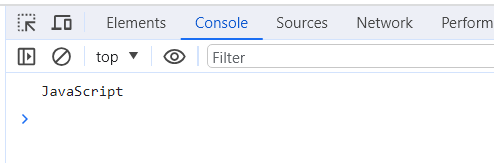
Output :-


Related Post JAVASCRIP :-

Comments

Popular posts from this blog

HTML Tag

CSS Text Color Explained with Syntax and HTML Examples

HTML Input Type Submit Syntax and Example